

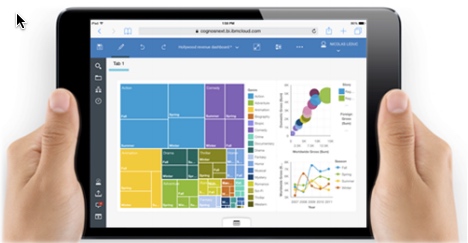
If you haven’t heard about the latest release of Cognos Analytics (v11 R4), then read on. We have put together an overview highlighting some of the new and improved features. The functionality available in Cognos 10 is still there, but it’s a completely re-designed experience and delivers ease of use for the business user without compromising IT functionality all while dramatically increasing productivity for departmental and enterprise reporting.
- Redefined consumption experience for any device
- Accelerated business modeling and performance
- Redefined report authoring and analysis
- All your Cognos 8 and Cognos 10 content moves forward
- Traditional studios are available
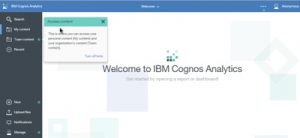
Portal – Welcome screen
- Coach marks to guide users
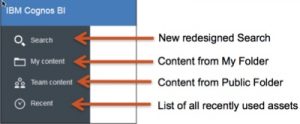
- Find Content
Content Management
- New sliding panels for easy navigation
- Maintains folder security specifications from Cognos 10
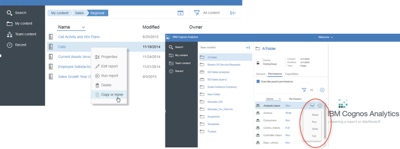
- Create folder, sort, copy, move, change properties and more
Schedules and Subscriptions
- All schedules and jobs are maintained
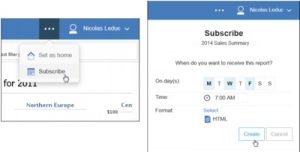
- Users can now subscribe to reports
- The report is delivered to their Notification Center on a schedule
Simplification of the Studios
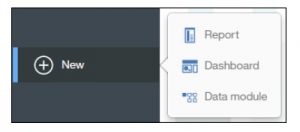
We’ve reduced the number of interfaces for simplicity:
- Report
- Dashboard
- Data Module
- IBM recommends to create new content using the new tools
 Where are the old Studios in Cognos Analytics?
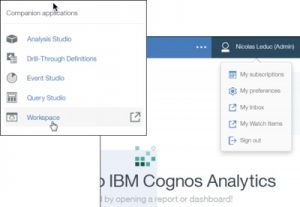
Companion applications are still available for existing customers
- Cognos 10 Studios
- My Inbox
- Drill-Through Definitions
- My Watch Items
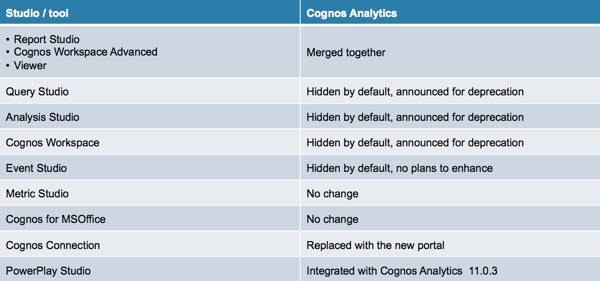
Cognos Workspace in Cognos Analytics
Currently
- Still available in Cognos Analytics, opens in a new browser tab
- Removed certain capabilities such as the Do More
- Announced for deprecation
Embedded items
- Viewer URL API is unchanged – Opens in Cognos 10 style report viewer
- SDK and CMS are unchanged – New capabilities like Dashboards are not currently accessible from the SDK
- Embedding portlet widgets in the following 3rd party portals is unchanged: – SharePoint – WebSphere
Data, Metadata and Queries – Status quo for:
- Framework Manager, models and packages (CQM/DQM) – exception: no CQM support for TM1, Essbase, SAP BW, Microsoft Analysis Services
- Dynamic Cubes and Cube Designer
- PowerPlay and Transformer
Manage
- Basic administrative capabilities
- Targeted at the departmental admin
- Links to Cognos Administration for Administrators
- Perform a subset tasks that are in Cognos Administration
-
Are you ready to take advantage of all that Cognos v11 has to offer? Give us a shout and we can help you upgrade or start from scratch with Cognos V11.