

We’re excited to add an educational component to our blog! Our consultants are great informational resources, and we want to share their knowledge with you, our subscribers. We’ll update our blog regularly with various educational posts written by our Business Intelligence team. We hope you find them to be informative and useful.
If you have suggestions for future blog topics, we want to hear them! Email us at marketing@capitalizeconsulting.com with your ideas!

For certain longer fields, such as addresses, notes, and comments, you want to format a second line per record. This tutorial shows you how to create a second line using Grouping and Footers.
Create a List Report and include the Long Field in the List. In this case, the Long Field will be the Retailer Site Address.
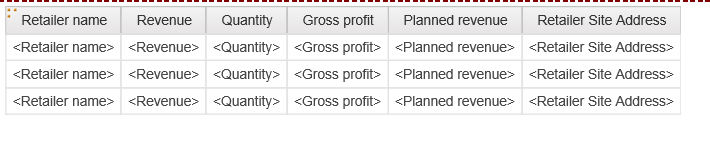
Here is the Current Report Output:

Select Retailer Site Address and click the Group/Ungroup button to Group the list by Retailer Site Address.

Select down arrow next to the Headers & Footers button and select “Create Footer”.
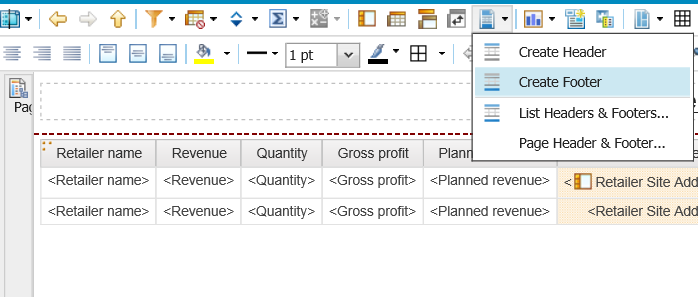
Here is the newly added Footer for Retail Site Address:
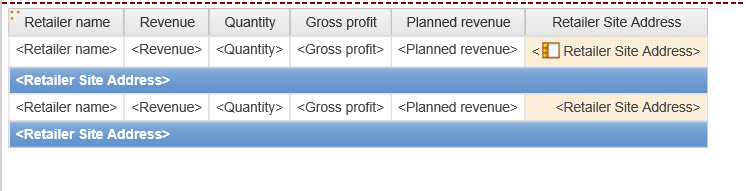
The Retailer Site Address Field is not needed anymore. Select the Retailer Site Address Column and cut it from the list, leaving only the Retailer Site Address Footer.
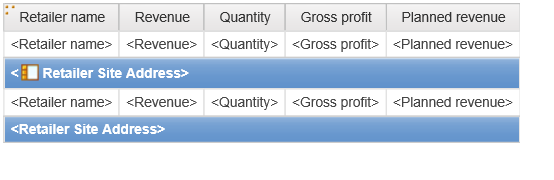
Select the Retailer Site Address Footer and format it so it matches the rest of the list report.
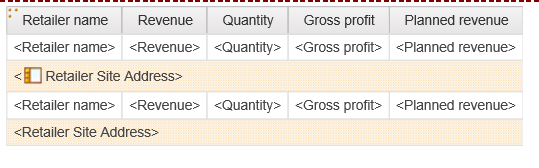
Let’s add a Text Item before the Retailer Site Address so we know what the field is. Unlock the Report.
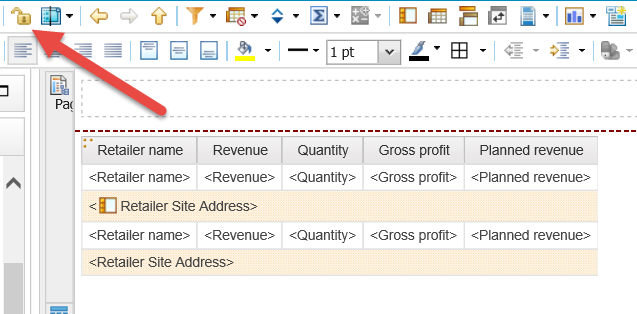
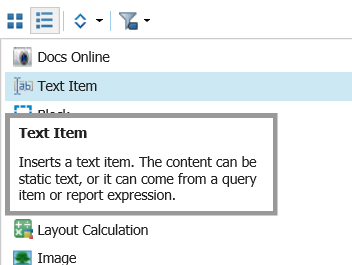
Drag over a Text Item in front of the Retailer Site Address Field.
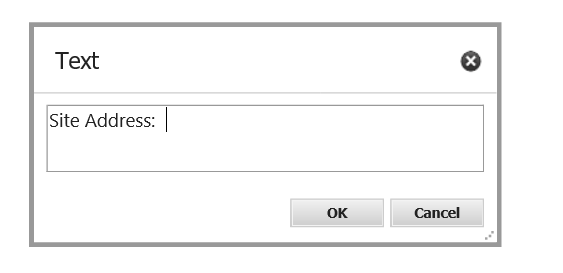
Type in “Site Address:” and click OK.
Bold the Text Item and Relock the Report.
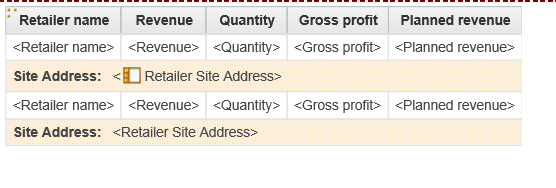
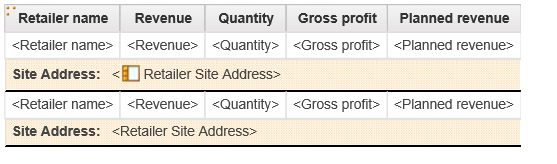
Add a Border under the Footer to separate the records from each other.
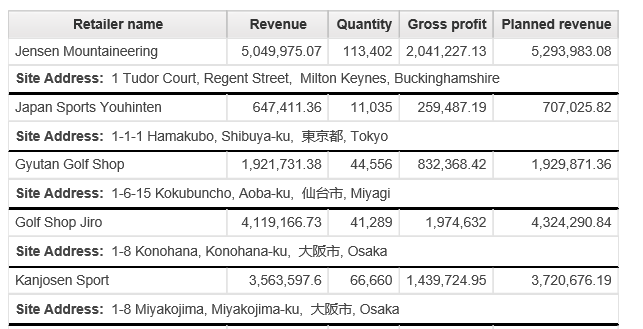
Run the Report and see your new two lines per record List Report.
If you have questions or need additional assistance, please contact us at marketing@capitalizeconsulting.com